Home · Product · Event website
Your event website reads the agent's data. You never enter anything twice.
Programme, exhibitors, practical information and map appear on your site from what you have already entered for the Chat Agent. The site is designed for your event, and you keep it up to date from EventKab.
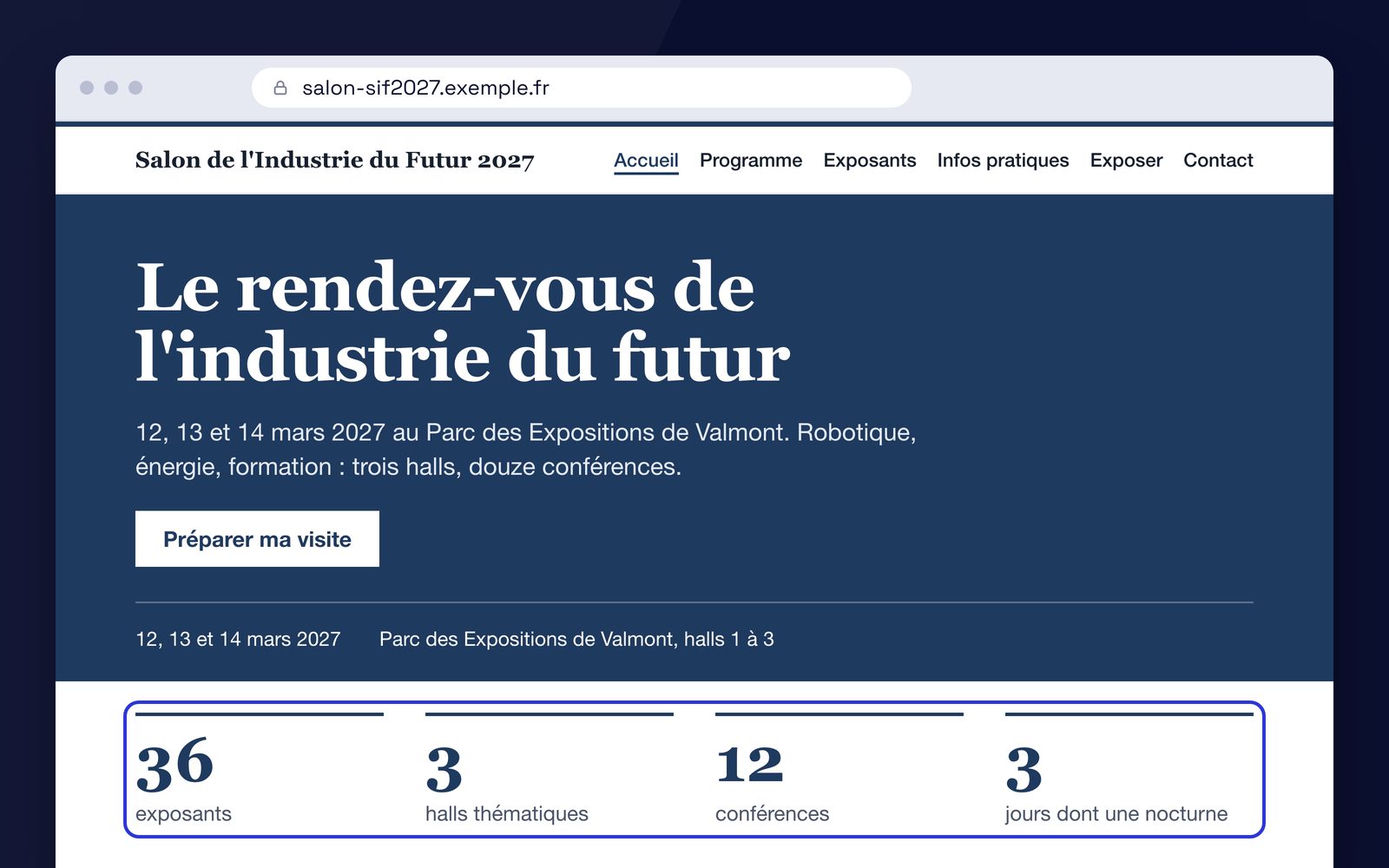
You build the site, page by page.
Pages.
Home, programme, exhibitors, practical information, contact: you create the pages your event needs, put them in order and hide the ones that are not ready.
Sections.
Each page is built from the sections the theme offers: opening banner, text, key figures, call to action, partners, contact. You choose which ones, and in what order.
The event's data.
Programme, exhibitors, practical information and map are linked sections: they show what you entered for the Chat Agent.
Identity.
Name, tagline, logo, accent colour, public email and phone, venue address, social media. Entered once, used across the whole site.
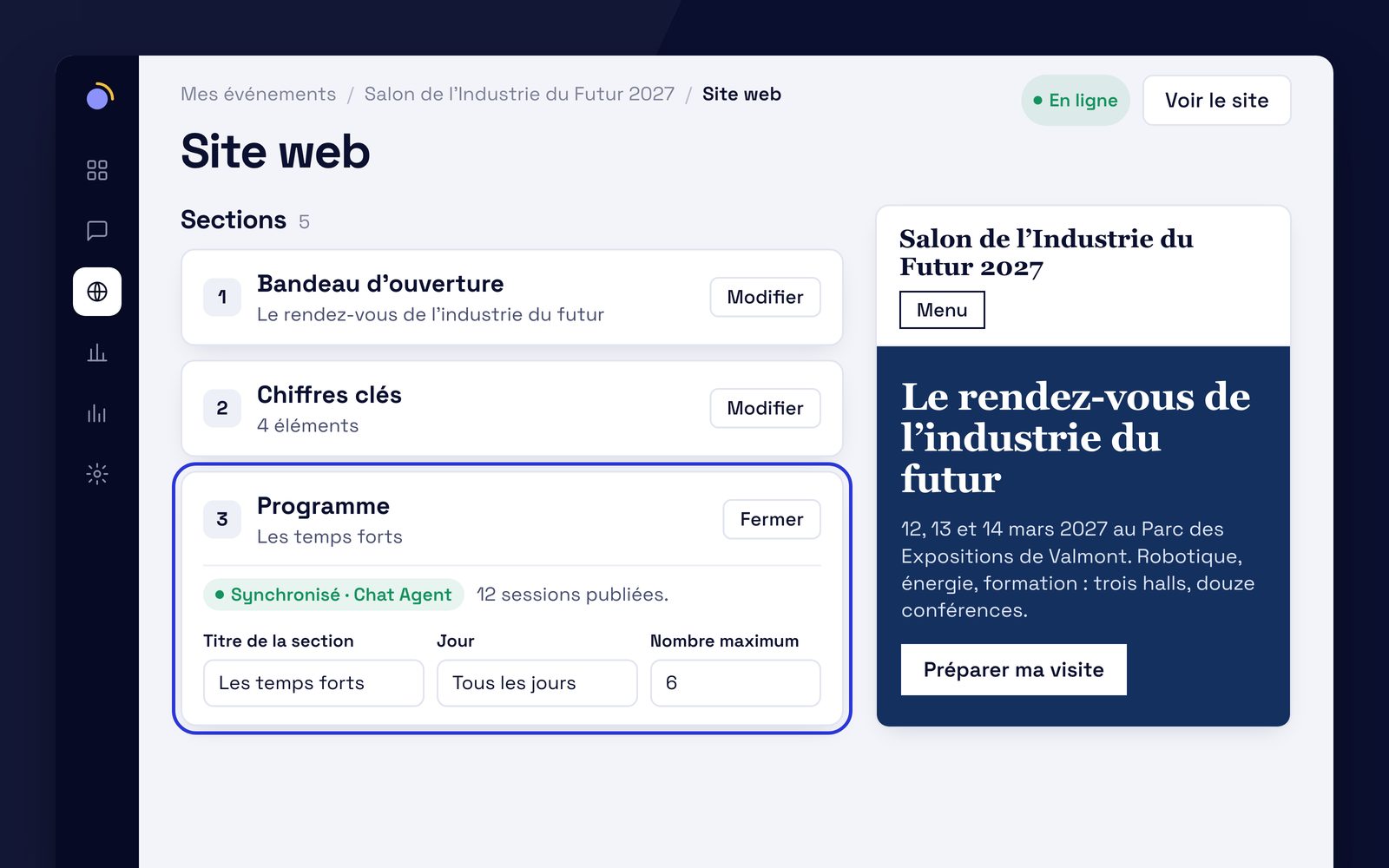
Entered once, used twice.
The site never makes you retype what the Chat Agent already holds. A linked section is marked "Synced" with a link to edit the data at its source, in the Chat Agent. You correct a time once: the agent and the site say the same thing.
Draft and published
Your changes stay in draft until you publish the site, and you can undo them. The site and the chat are published separately: publishing one does not publish the other.
Search optimisation: the essentials, page by page.
Title and description.
For each page, with a preview of the result as it will appear in a search engine.
Sharing image.
The one that appears when your site is shared on social media or in a messaging app.
Indexing.
Switched off until the site is live on your domain. You turn it on when everything is ready.
Structured data.
The event record (name, dates, venue) is used to describe the event to search engines. There is nothing to enter.
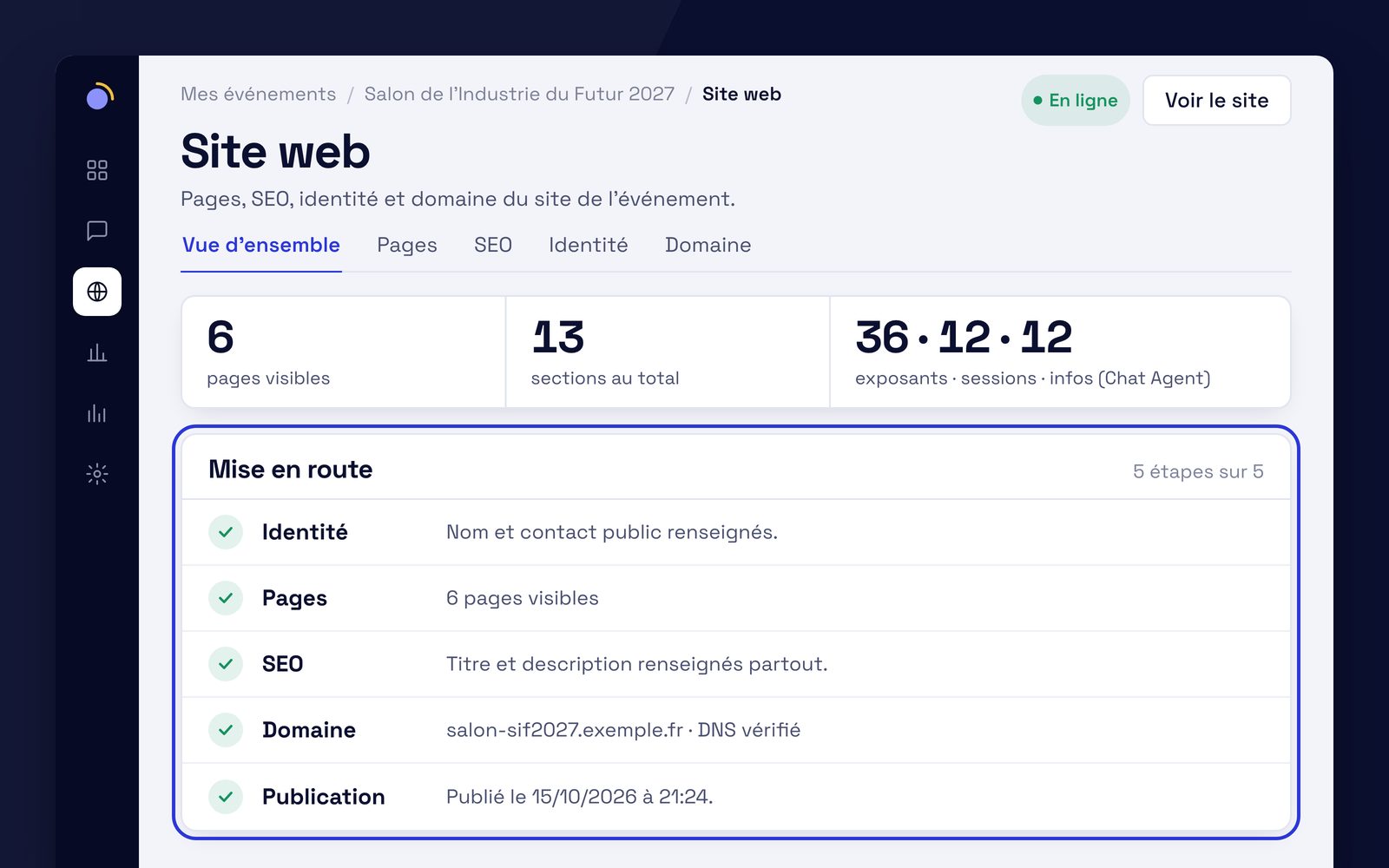
Five steps to publication.
The app tracks your progress and shows what is left to do.
Identity
The display name and at least one public contact.
Pages
At least one visible page, including the home page.
Search
A title and a description for every visible page.
Domain
EventKab lists the DNS records to add and checks that they respond. Kabaun connects the domain and turns on HTTPS.
Publication
You publish when you are ready. Later changes stay in draft until the next publication.
Which package?
Event website is part of Package D · the complete event. Each package includes the previous one and adds a component.
- Package A · the core
Chat Agent
Each visitor gets their answer, in their language, from your content.
For: formats without stands: conferences, symposiums, seminars, festivals.
- Package B
Chat Agent + 3D Map
The answer to "where" becomes a route to the stand.
For: whenever there are halls and stands to find: trade shows, fairs.
- Package C · recommended
Chat Agent + 3D Map + Live Ops
What visitors are searching for, live, and the proof for your exhibitors.
For: shows with exhibitors to renew.
- Package D · the complete event
Package C + Website + Sales management
Your website and the sale of your stands in the same place as the agent.
For: organisers who also want their website and sales tracking.
Starts here
Optional on any package, priced at scoping: Personalised Visit, Carbon Footprint (with Cléo).
What we're asked about the event website.
Do we need the Chat Agent?
The programme, exhibitors, practical information and map sections read the Chat Agent's data: that is what avoids entering anything twice. The other sections (text, key figures, call to action, partners, contact) depend on nothing else. The scope is set at scoping.
Can we move blocks around and pick any colours?
You choose and order the sections the theme offers, and the accent colour from its shades. There is no drag and drop and no layout editor: the site keeps the shape it was designed for.
Is connecting our domain automatic?
No. EventKab gives you the DNS records to add with your domain registrar and checks that they respond. Kabaun then connects the domain to the server and sets up HTTPS, by hand. Your email is not affected.
Included in Package D, the complete event.
Package D brings together the Chat Agent, the 3D Map, Live Ops, the event website and sales management. On quote, priced at scoping. Scoping and the demo are free, with no commitment.