Home · Product · Sales management
Your exhibitor and partner enquiries, followed through to signature.
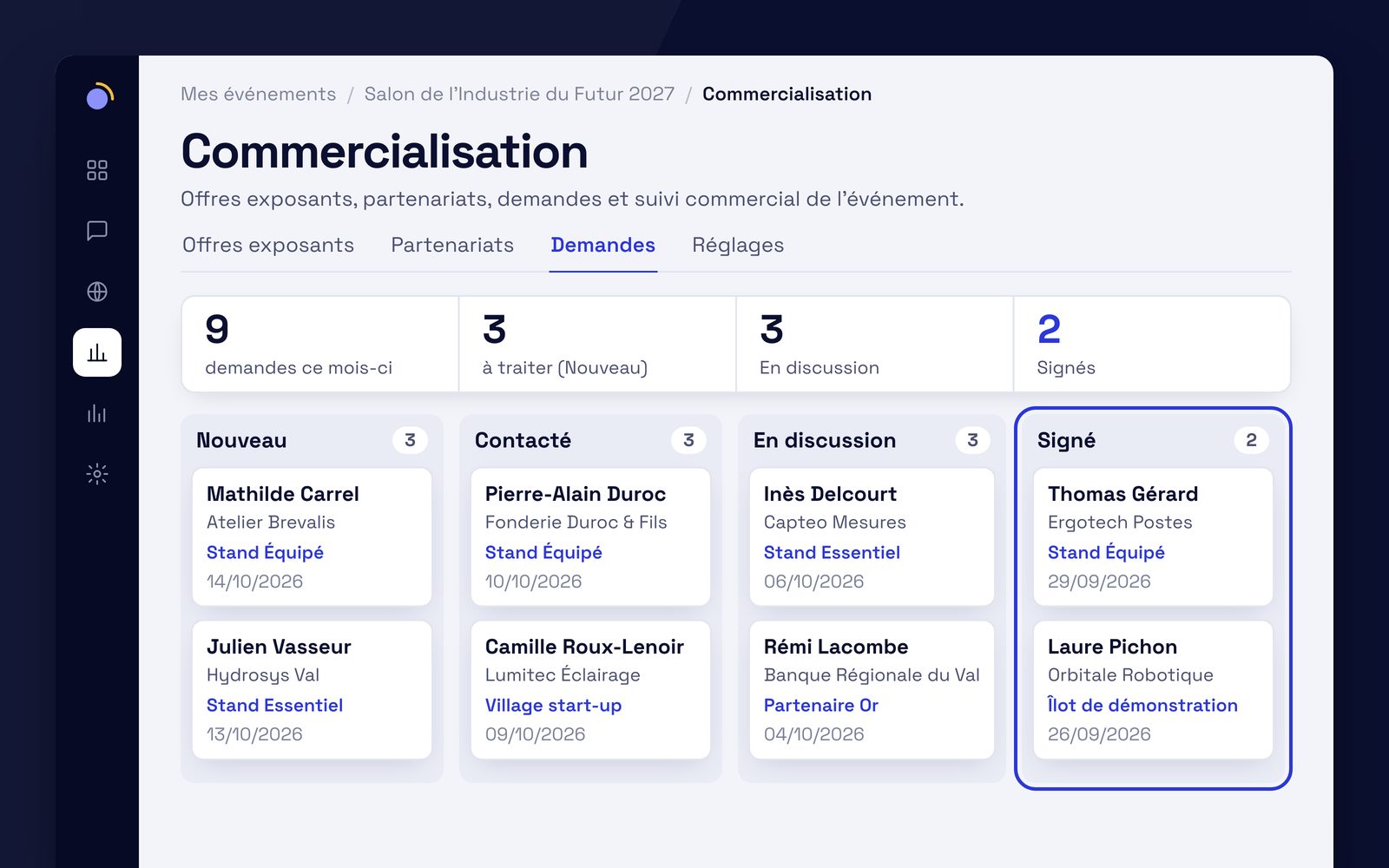
You show your offers on the event website. Every enquiry from the form enters a pipeline your team follows, with an owner, notes and a status.
In detail.
Exhibitor and partnership offers.
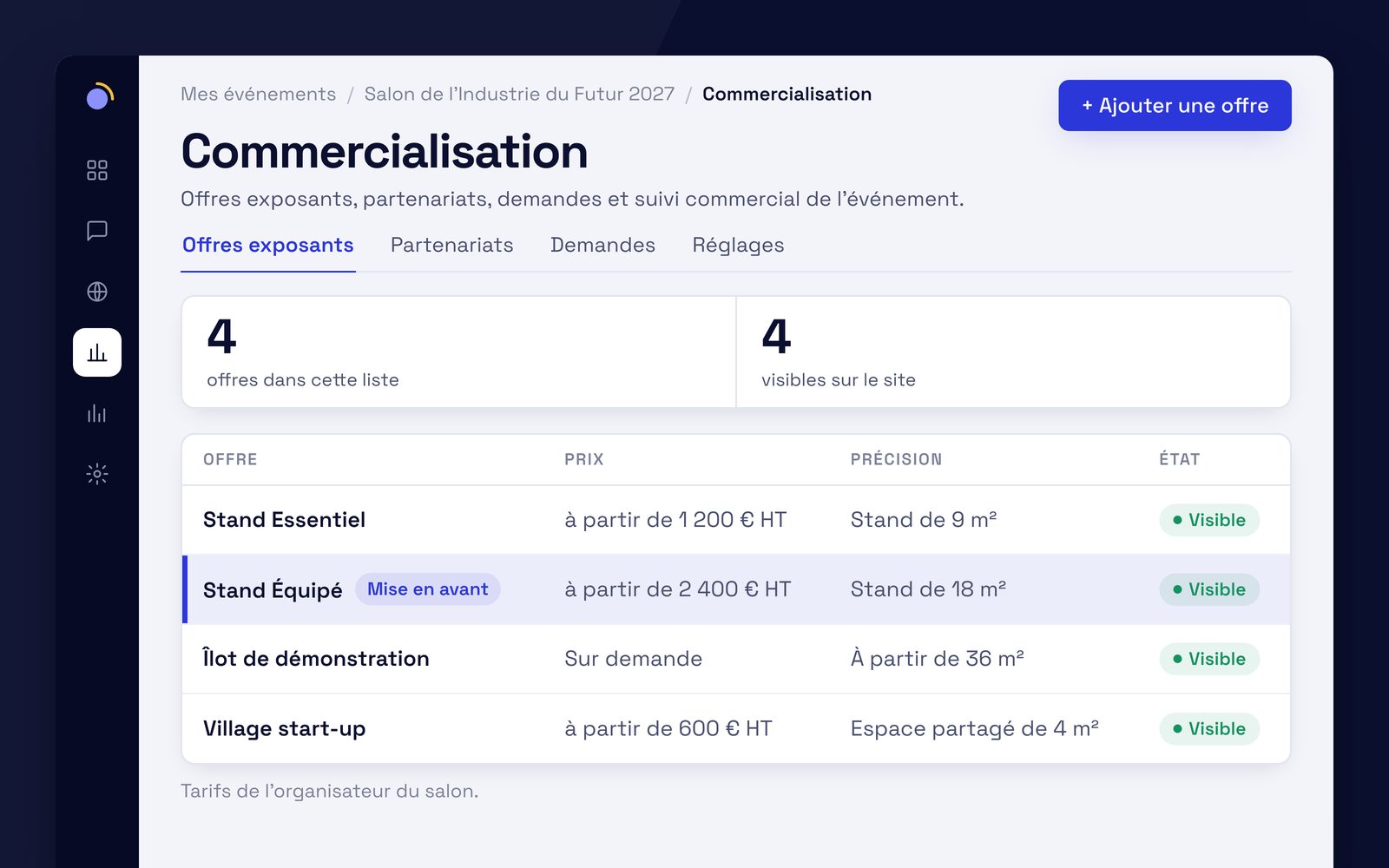
Each offer has a name, a price you write however you like, a detail line and the list of what is included. You can highlight one.
Enquiry form.
On the site, the visitor picks the offer they are interested in and writes to you. The consent box is mandatory, the form is protected against automated submissions, and it accepts no attachments.
Enquiry pipeline.
Every enquiry arrives with the status New, then moves from status to status. You rename the statuses, assign an owner and log every exchange.
Manual entry.
A contact made at the show or over the phone is added by hand, and follows the same path as enquiries from the site.
Export.
The enquiries you have filtered export as CSV, for a spreadsheet.
The offers and the form are displayed on the event website.
You write the price.
An offer's price is free text, shown exactly as you write it: an amount, a range, "on request". EventKab calculates nothing and never makes up a price.
No online payment
The site collects an enquiry. What happens next is between you and your exhibitor, as it is today.
Emails go out from your domain.
The new enquiry notification and the acknowledgement sent to the prospect go out from your organisation's address, through your own mail server (SMTP). You choose who is notified and write the acknowledgement text. A test email lets you check the settings.
If sending fails
The enquiry is saved anyway. Its record shows that the notification was not sent.
Everyone sees what concerns them.
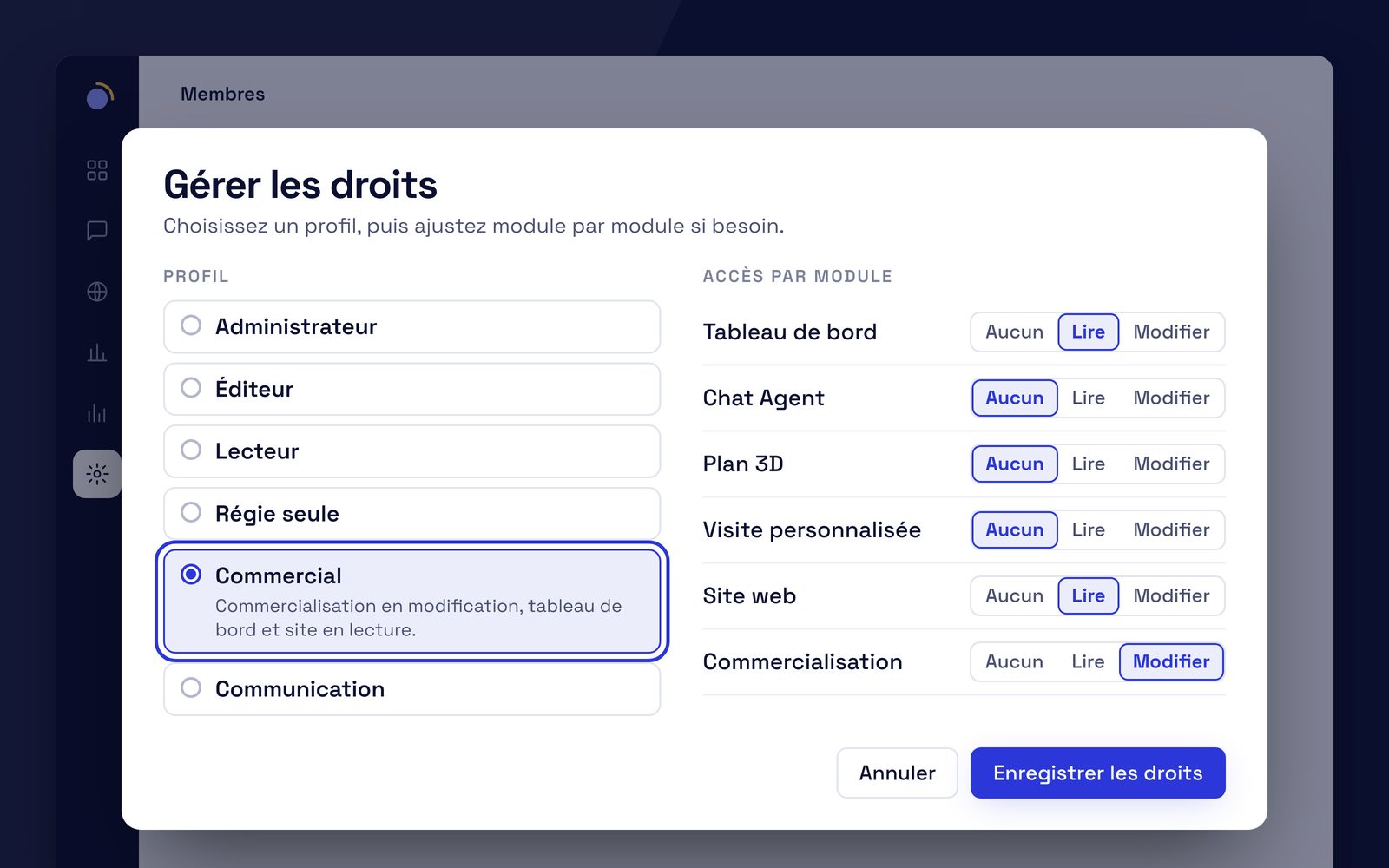
Enquiries contain personal data. For each team member, module by module, access is none, read or edit.
Sales.
Manages offers and enquiries. Views the dashboard and the site.
Communications.
Keeps the site, the Chat Agent and the widget up to date. Does not see enquiries.
Viewer.
Views the event read-only, with no access to enquiries.
Custom.
A free grid, if none of these profiles fits.
Retention.
You decide how long enquiries are kept, and you can purge them.
Which package?
Sales management is part of Package D · the complete event. Each package includes the previous one and adds a component.
- Package A · the core
Chat Agent
Each visitor gets their answer, in their language, from your content.
For: formats without stands: conferences, symposiums, seminars, festivals.
- Package B
Chat Agent + 3D Map
The answer to "where" becomes a route to the stand.
For: whenever there are halls and stands to find: trade shows, fairs.
- Package C · recommended
Chat Agent + 3D Map + Live Ops
What visitors are searching for, live, and the proof for your exhibitors.
For: shows with exhibitors to renew.
- Package D · the complete event
Package C + Website + Sales management
Your website and the sale of your stands in the same place as the agent.
For: organisers who also want their website and sales tracking.
Starts here
Optional on any package, priced at scoping: Personalised Visit, Carbon Footprint (with Cléo).
What we're asked about sales management.
Can we take a payment?
No. The form collects an enquiry; it takes no payment. The price shown is text you write, and the rest is settled with your exhibitor or partner.
Do we need the event website?
The offers and the form are displayed on the event website: that is where people see them. Contacts made at the show are entered by hand in the pipeline.
Who can see the enquiries?
Members whose profile allows it. The Sales profile has access; the Communications and Viewer profiles do not.
Included in Package D, the complete event.
Package D brings together the Chat Agent, the 3D Map, Live Ops, the event website and sales management. On quote, priced at scoping. Scoping and the demo are free, with no commitment.